Multimedia Courses That Build Strong Portfolios In India
A multimedia course is worth it only if it helps you produce portfolio work that looks real, modern, and employable. Recruiters and clients do not just ask “what did you learn?” they ask “what have you made?” The best multimedia learning path combines strong visual design, clean storytelling, and consistent output: posters that communicate, edits that feel paced, motion graphics that feel intentional, and presentations that explain your choices. Use the sections below as a roadmap to choose a course and to shape your projects so they stand out.
Why does your portfolio matter more than your certificate?
A certificate is a signal that you completed a program, but a portfolio is proof that you can deliver. In creative roles, proof wins. A good portfolio shows range (design + motion/video), but also focus (a recognizable style and quality bar). It also shows that you can finish: clean exports, correct formatting, and thoughtful presentation. If your goal is a job, your portfolio should match the role—video editor portfolios look different than motion designer portfolios. A strong course builds portfolio milestones into the timeline so you graduate with finished pieces, not half-done practice files.
Which tools should a multimedia course teach in 2025?
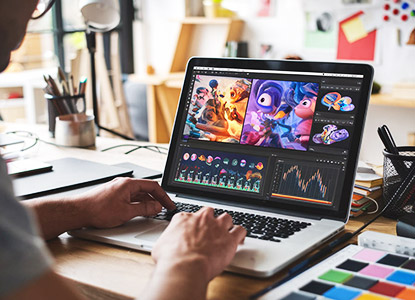
Tool lists vary, but the core idea is pipeline readiness. For motion graphics, expect compositing and animation workflows (often After Effects-style thinking), typography animation, transitions, masking, and basic VFX concepts. For video editing, expect timeline editing, pacing, audio cleanup basics, color correction fundamentals, and export settings for social platforms. For design support, expect a UI/design tool for layouts and thumbnails (Figma or equivalent) plus raster/vector fundamentals. A good course also teaches file organization, naming conventions, and delivery formats small habits that make you look professional in studios and agencies.
How do you structure portfolio projects for real clients?
Start with a brief: who is the client, whats the message, and where will the content be published? Then define deliverables: a 15-second reel, a 30-second promo, story-based cuts, or a motion pack with lower thirds and titles. Next, create a style frame: fonts, colors, mood references, and pacing references. Build a simple storyboard, even if its rough. When you publish the project, show the brief, keyframes, and the final output. This structure makes your work feel “client-ready”, not like random experiments, and it makes interviews easier because you can explain decisions.
What should you include in a showreel and case study?
A strong showreel is short, focused, and edited like a highlight: your best work first, no filler, clear role labeling if needed (editing, motion, design). Use consistent formatting, readable text overlays, and clean audio choices. Case studies add depth: they show how you planned, what you changed after feedback, and how you solved constraints. Include 3–5 stills, a short process note, and the final video link. If you are applying for motion roles, show typography animation and timing control. If you are applying for editing roles, show pacing, narrative clarity, and clean cuts.
How can you collaborate to build stronger portfolio pieces?
Collaboration creates realistic outputs fast: team up with a UI designer, a copywriter, a musician, or a content creator. You can edit a creators footage, animate a designers brand kit, or build motion assets for a small campaign. Collaboration teaches you feedback handling, version control habits, and delivery discipline. It also gives you better “story” in interviews: “We had a deadline; I handled motion and delivery; heres how we iterated.” Many beginners stay stuck because they only work alone on perfect ideas. Collaboration helps you ship, and shipped work builds confidence and credibility.
How do you publish, host, and present your work online?
Presentation can upgrade average work into professional-looking work. Export correctly for the platform: vertical for reels, horizontal for YouTube, and high-quality compression for portfolio sites. Host videos on reliable platforms and organise them by category: Motion, Editing, Brand, UI support. Build a simple portfolio website with clear thumbnails, short descriptions, and role labels. Keep your best 6–10 pieces, not 30 mixed-quality files. Add a short “about” page and contact options. If you are job hunting, tailor the order: editing-first for editing roles, motion-first for motion roles.
Conclusion
A portfolio-first multimedia course gives you a repeatable process: brief → storyboard → design → edit/animate → feedback → publish. Choose training that forces you to finish, improves your taste through critique, and teaches real delivery standards. When your showreel is focused and your case studies are clear, your work becomes easier to trust and easier to hire.